A4 sheets
Print 4 large, 6 medium, 8 portrait or 12 small labels per sheet. Supported pre-cut A4 formats provide 2, 4 or 8 labels per sheet.
 SERVICESHEET
Optional Service Sheet Tracking · Built in Australia
Know where it went and what happened — without another complicated system.
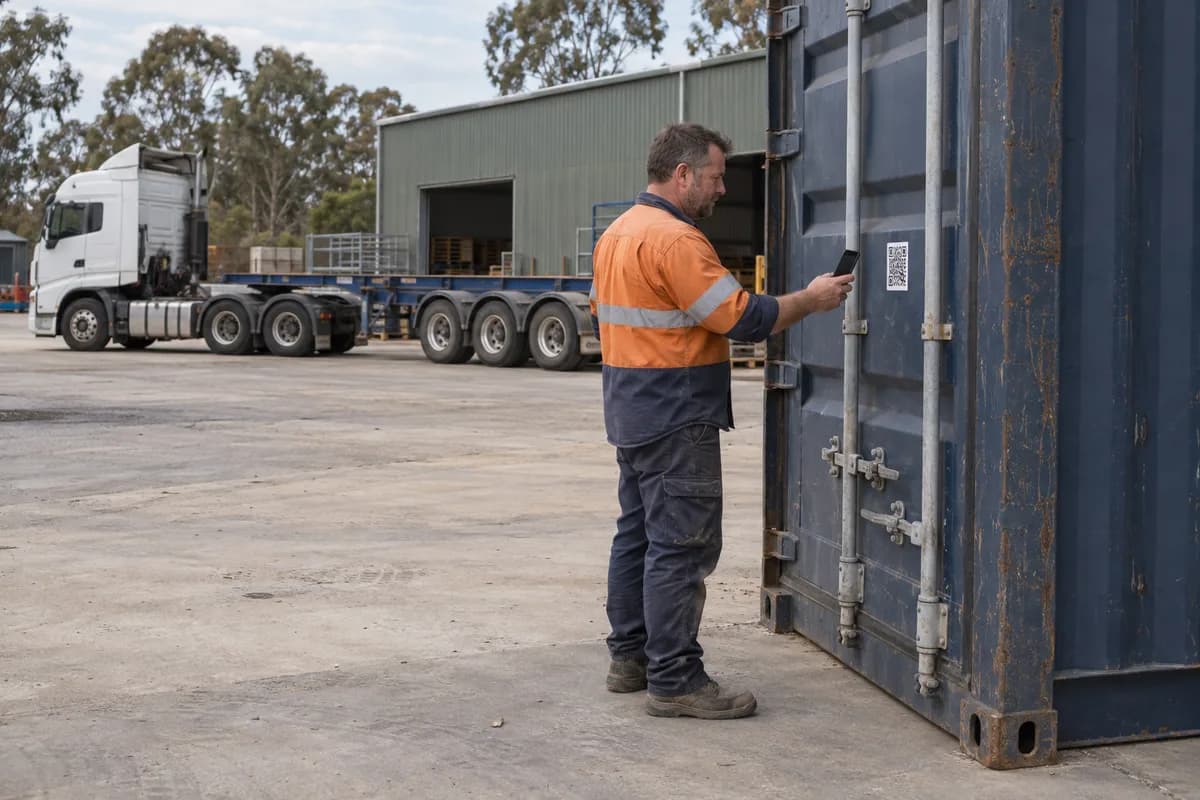
Give each container, freight job or equipment movement a QR code. Your people record updates from their phones; the office keeps a clear journey history.
No driver app. No driver account. Tracking is optional and purchased separately from asset maintenance.
Less chasing. A clearer record.
For many small and medium transport businesses, the latest container update is spread across phone calls, text messages, handwritten notes and someone’s memory. When a customer asks what happened, finding the answer becomes another job.
Service Sheet provides a simple QR container tracking system for Australian operators. Bring movement updates together against the job, with timestamps, notes and received / released by details when supplied. Driver scans do not verify the identity of the person holding the phone.
From the yard to the office
One clear workflow for container transport tracking, freight and movable equipment.
Create a job for the container, freight or equipment, with its identifier, customer and relevant references. Create one job or a batch.
Print the job’s QR label individually or on an A4 sheet. Prepare the job before the driver records its first movement.
The driver scans the QR with a phone camera, or enters the Tracking Code from the label. No driver app or account is needed.
Choose what happened, such as Collected, Arrived or Delivered / dropped off. Add relevant notes and optional contact details.
Authorised office users review the job’s movement history, timestamps, submitted details and recorded locations where available.
Download a professional PDF journey report when you need to review the record or share it with a customer.
Designed for the person doing the work
The driver, yard worker or operator opens the job from its QR label and chooses what happened. They can add notes, received / released by details and optional photos. The office reviews the information in the Service Sheet portal.
When the person permits device location, the update can include a recorded location. If location is unavailable, the event can still be recorded and its history clearly shows that limitation.
This is movement history from submitted updates, not continuous vehicle GPS, telematics or automatic port and shipping-line status feeds.
SERVICESHEETContainer CT-204Recorded. You’re done.
Example only. Open the real workflow using a prepared job’s QR label.Bulk QR printing
Create up to 100 Tracking jobs in a batch and select the QR labels you need. Download professional PDF output in practical A4 formats, with the same label engine used for Service Sheet asset labels.
Print 4 large, 6 medium, 8 portrait or 12 small labels per sheet. Supported pre-cut A4 formats provide 2, 4 or 8 labels per sheet.
Download individual PDF or SVG labels, or a mixed-size A4 sheet. Each label includes the job identifier, QR and a readable Tracking Code.
Reprinting an existing job’s QR label does not consume another Tracking credit. Its existing QR and Tracking Code stay with that job.
Match the selected format to your label stock, print at Actual Size and test the label before use. Creating a new job and extending an existing journey follow the separate Tracking credit rules.
Useful beyond containers
Transport tracking software should fit the movement you need to record. These are practical examples of using the same job and history workflow.
Keep shipping container tracking records for movements between depots, wharves, customers and yards. Use container identifiers and booking references to keep the job recognisable.
Use QR container tracking for the containers handled throughout the day. Record collection and drop-off events without relying on a string of calls back to the office.
Give a freight movement its own QR and history. A simple freight tracking system helps the office follow submitted updates across handovers.
Use a job for a bin placement or collection, with the bin identifier, customer and destination. Review its movement history when arranging the next step.
Record equipment movements between customers, sites and yards. Keep movement records alongside the separate maintenance workflows your business already uses.
Use an item identifier and job reference for movable business equipment or assets. The QR workflow follows the recorded job, without needing a vehicle tracker.
Journey history and reporting
Review collection, arrival, departure, delivery, empty collection, dehire and damage / exception events against the job. History includes the event time, submission source, notes and relevant details supplied with each update.
Recorded locations appear where available. Optional contact details show who received or released the item when entered; anonymous driver submissions are identified as such. The history reflects recorded events, rather than a promise of the item’s current position.
Download a professional PDF report for the job. Viewing history and downloading reports use no additional Tracking credits.
An additional capability
Service Sheet remains fleet and asset maintenance software. Keep using your normal readings, customer-defined service schedules, issues and maintenance history. Tracking adds a separate way to record container, freight, skip-bin and equipment movements when your business needs it.
An authorised organisation user can activate Tracking through Available Features, subject to account access. Standard Tracking jobs use separately purchased pay-as-you-go credits; no Tracking subscription is required. Creating an account does not mean unlimited or automatically free Tracking jobs.