 SERVICESHEET
Fleet & asset maintenance without the chasing.
Stop chasing drivers for kilometres and engine hours.
Put a QR code on each truck, machine or asset. Your operator scans it, enters the reading or reports a fault, and you see it from your dashboard.
No credit card · Up to 10 assets free for 90 days · First asset free forever
- No hardware installation
- No operator app or login
- Pricing based on active assets, not users
SERVICESHEETLive product workflowMaintenance information should move as fast as the work
If your asset is sitting in your yard, it’s not making money.
Clear readings, schedule status, issue reports and retained service history help the responsible manager plan work from current information. Service Sheet tracks and reminds; your organisation decides what maintenance is required and when an asset operates.
A real fleet problem
A service sticker only works if someone is watching it.
It sounds reasonable to expect a driver to notice the windscreen sticker as a truck approaches its next service and tell management. In a working fleet, that hand-off is easy to miss.
A vehicle may have several drivers across different shifts. One may assume someone else has reported it. Another may not know the configured service interval. Monitoring maintenance may not be part of the driver’s responsibilities at all, and some operators may not know where to find or how to read an engine-hour meter.
Kilometres do not always show how hard an asset has been working.
A container truck operating around ports can travel relatively few kilometres while spending long periods running, idling, loading, queuing and moving short distances across multiple shifts. Tippers, plant and machinery can face the same mismatch.
A kilometre sticker may still look nowhere near due while the asset accumulates significant engine hours. Service Sheet lets the fleet manager monitor kilometres, engine hours or both against the intervals configured by their organisation.
The boundary stays clear. Operators report factual readings and issues. The owner or fleet manager decides what maintenance is required.
Keep the operator’s job simple
Scan. Enter. Done.
- 1Scanthe asset QR code
- 2Enterthe requested kilometres and/or engine hours
- 3Donethe factual update reaches the record
- No operator account
- No app installation
- No spreadsheet
- No driver maintenance diagnosis
- No relying on someone remembering to tell the workshop
Port container truck
Tracking and reminder only. Your organisation defines its intervals and warning thresholds and remains responsible for maintenance decisions.
How it works
Useful from the first asset.
Add. Print. Scan. Track. The simple workflow sits on top of secure organisation records and customer-defined schedules.
Add the asset
Choose kilometres, engine hours—or only what actually applies.
Print its label
Download a permanent QR label with a five-character fallback code.
Scan. Enter. Done.
The person with the asset enters the requested reading or reports a factual issue. No operator account.
Review and act
See the record against maintenance schedules configured by your organisation.
See the actual workflow
From the asset to the owner’s worklist.
No staged stock footage. This walkthrough uses the same screens and interaction patterns as Service Sheet, with neutral demonstration data.
Good morning, Alex
Northside Field Co.
Service Van 04North depot84,216 kmDue soon
Generator 12Field site1,842 hCurrent
Auxiliary Pump 03Main yard408 hCurrent
See the active fleet, readings, maintenance position and open issues together.
The actual report
From fleet records to a document your team can use.
This example was generated by the Service Sheet report engine using a fictional demo fleet. All names, assets and figures are synthetic.
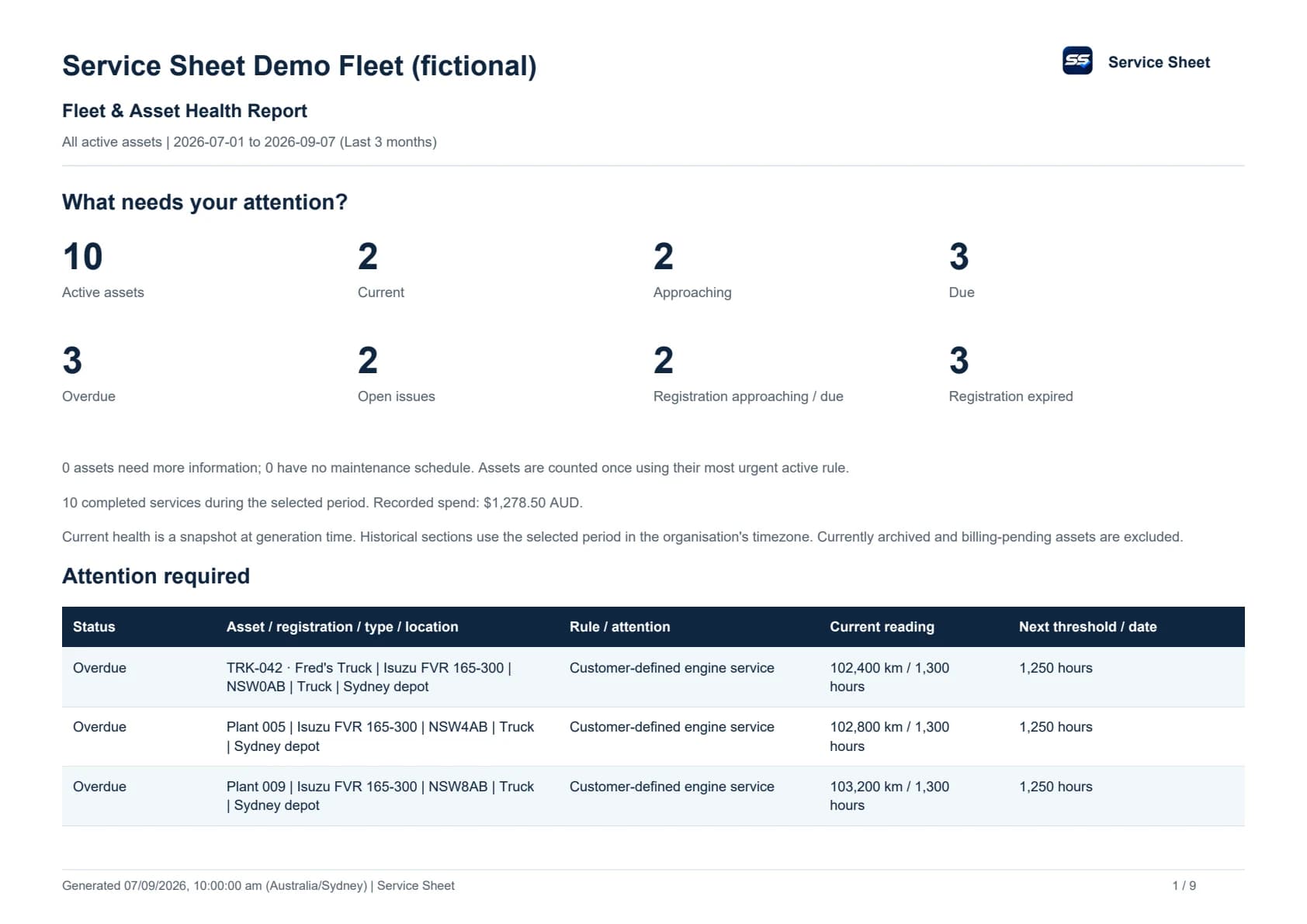
Customer reports require sign-in and the appropriate organisation permissions. This public sample contains no customer information.
A proportionate alternative
Choose the capabilities you need.
Some operations need GPS, live location, diagnostics and specialised telematics. Service Sheet does not pretend to replace those systems.
When you need factual readings, customer-defined schedule tracking, issues and service records, Service Sheet collects information from the person already with the asset. It may be a proportionate alternative when your business does not need full telematics capabilities.
- No GPS or location tracking claim
- No hardware install or operator app
- Straightforward per-active-asset subscription
One dependable record
Simple for the operator. Useful for the manager.
Customer-defined maintenance
Track kilometres, engine hours, an optional recurring calendar date, or any combination that suits the asset. Your organisation defines every interval and warning threshold.
Registration reminders
Enter an expiry date once. Service Sheet surfaces approaching, due-soon and expired registration in the dashboard and actionable health reports where registration applies.
Issues in context
Factual operator and Owner/Admin reports, private photos and resolution records stay attached to the asset.
Review unusual readings
Evidence is retained while unusual public readings wait for review instead of silently changing maintenance calculations.
Locations without GPS
Organise assets by depot, branch, yard or site. Service Sheet does not track live asset location.
QR plus manual fallback
Scan the permanent asset QR. If it cannot be scanned, open the public operator page and enter the five-character code printed on the label.
Built around assets, not one industry
Purposeful workflows for varied operations.
Explore how Service Sheet fits the language, equipment and handoffs in your market.
 For transport operations
Heavy vehicles & fleets
Drivers already walk up to the vehicle. A Service Sheet QR label lets them add the factual kilometre reading or report an issue in moments, while the fleet manager keeps control of customer-defined schedules and registration expiry.
View solution → For concrete fleets and workshops
Concrete pumps & agitators
Concrete pumps and agitators can spend much of a shift running without travelling far. Service Sheet helps concrete fleet owners, workshop managers and maintenance coordinators collect engine-hour and kilometre readings, track their own service intervals and keep factual issue reports with the right vehicle.
View solution → For plant operations
Plant & machinery
Plant does not always return to the same yard or operator. Put a durable Service Sheet entry point on the machine so current hours and factual observations reach the person managing its customer-defined maintenance plan.
View solution →For hire and rental operationsEquipment hire & rental
A hirer already has the asset under contract. Service Sheet gives them a fast, factual QR workflow while your hire team keeps maintenance scheduling and follow-up inside the organisation account.
View solution → For farms and field teams
Agriculture & field assets
Keep trucks, farm machinery, generators and even bee hives connected to their maintenance information with a QR label and the people already working with them.
View solution → For field service teams
Light commercial & service fleets
Technicians, installers and field staff are already with the vehicle or equipment each day. A quick scan turns that routine contact into an up-to-date reading and a clearer maintenance record.
View solution →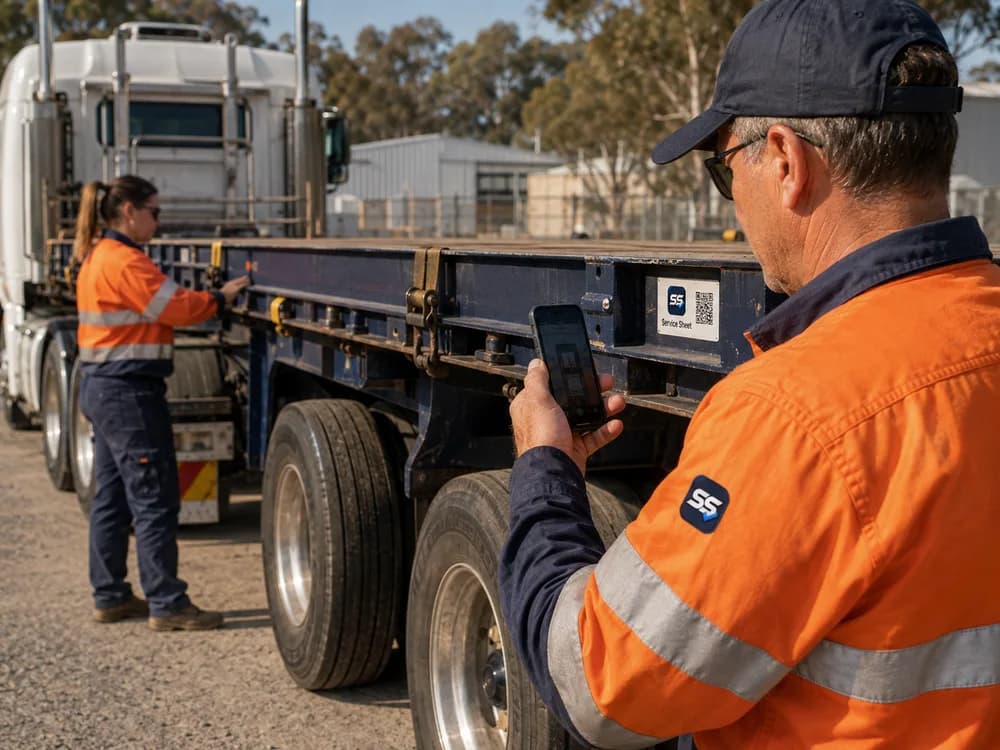 For trailer fleets
Trailers & hub meters
Trailers often rotate between prime movers, sites and customers. Service Sheet keeps the label, access code, registration reminders, issues, configured schedules and retained history attached to the trailer itself.
View solution →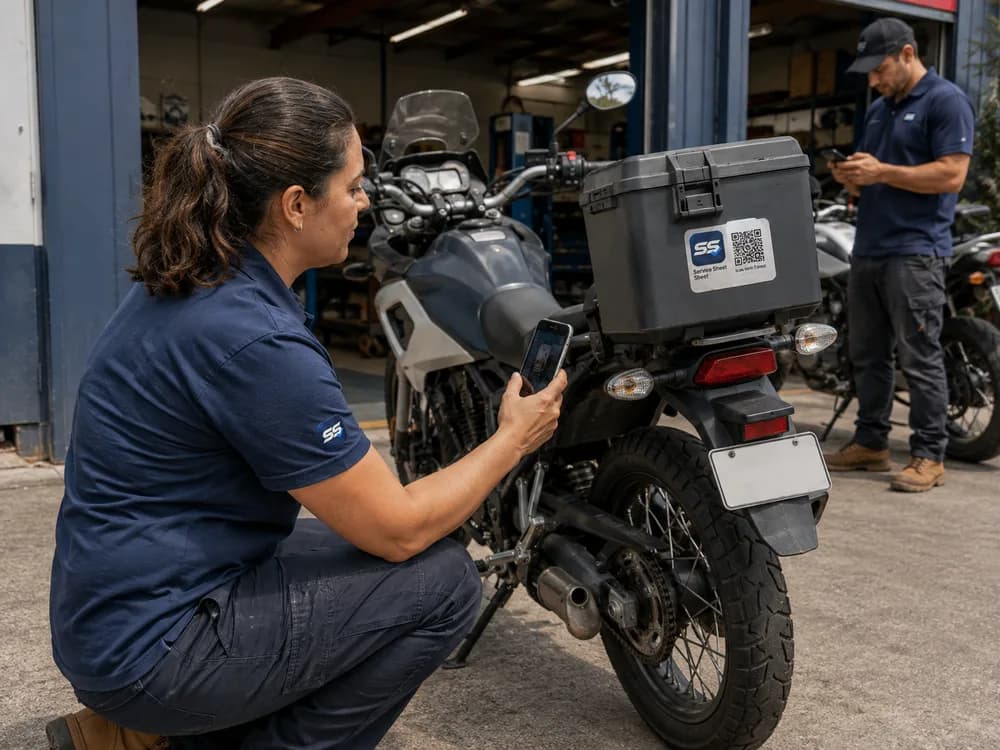 For two-wheel fleets
Motorcycles & scooters
Delivery riders, instructors, rental customers and fleet staff can scan the vehicle they are already using, enter the displayed kilometres and move on—without a rider account or hardware installation.
View solution →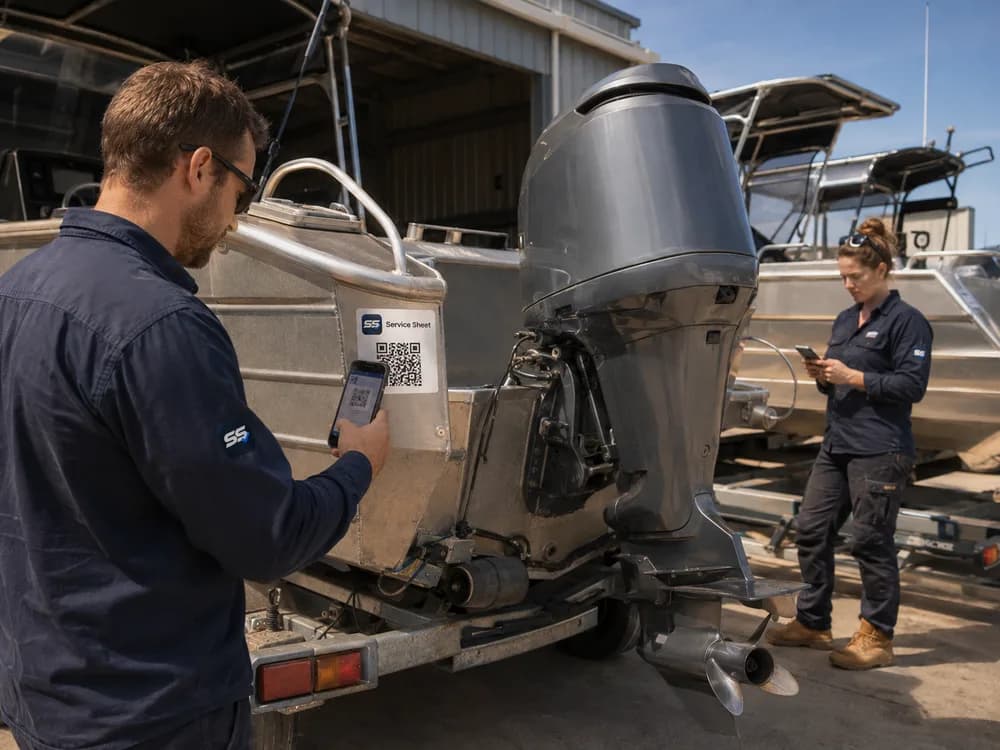 For marine and recreational assets
Marine, jet skis & powersports
Jet skis, support craft, dirt bikes and recreational assets may move between storage, water, workshops and customers. A Service Sheet label keeps the reporting entry point with the asset wherever it is used.
View solution →Optional Service Sheet capability
Track your containers and freight
Create a tracking job, attach a QR code, and let drivers update the journey as it moves.
See where freight has been, when it arrived and what happened along the way — without another app or driver account.
From $2.99 + GST per tracking job.
No subscription required.

- CREATECreate the freight/container Tracking job.
- SCANThe driver scans the QR as the load moves.
- TRACKThe office sees the journey and history.
Maintenance software guides
Compare the workflow with the way your assets actually operate.
Explore focused guides for fleets, trucks, plant, mixed equipment and QR-based reporting.
Straightforward starting point
Try up to 10 assets free for 90 days.
Try up to 10 assets free for 90 days. No credit card required. First asset free forever.
After your 90-day trial, your first asset remains free forever. Additional active assets are A$4.99 each per month + GST.
After the trial, additional assets wait for you to choose paid access. You will not be charged automatically.
- One permanently free asset
- Archive inactive assets without deleting their history
- No subscription required when there are zero billable assets
A$4.99 + GST/ month per additional active asset
- QR readings and issue reporting
- Maintenance schedules and history
- Registration reminders where relevant
- Owners, operators and locations
Trial and pricing questions
For example, eight active assets cost A$0 during the trial. If you explicitly choose paid access after the trial and keep all eight active, one designated asset remains free and seven additional assets cost A$34.93 + GST per month. Extra assets are not automatically billed at trial expiry.
Do I need a credit card?
No. Your 90-day trial includes up to 10 active assets with no credit card or subscription.
What happens after 90 days?
After your 90-day trial, your first asset remains free forever. Additional active assets are A$4.99 each per month + GST. No automatic charge occurs. Additional assets are archived with their history preserved until you choose paid access.
Can I use more than 10 active assets?
Archive an asset to free a trial place, or explicitly end your trial early and choose the normal paid billing path.
How can we help?
Start with the asset you need to keep visible.
Create the account, add the asset and print its label. At the asset, scan the QR or use the public operator page with its five-character code.