Changing operators and sites
The permanent machine record is independent of a particular operator, project or yard, while organisation Locations help administrators organise the active fleet.
 SERVICESHEET
Plant and machinery maintenance
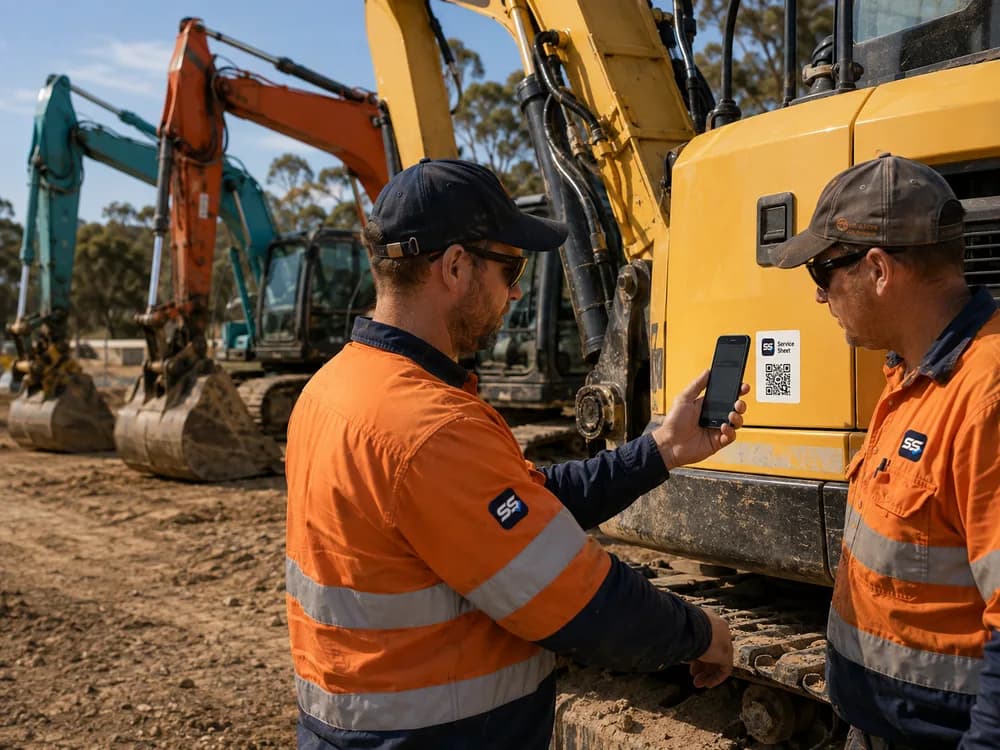
Service Sheet keeps engine-hour readings, customer-defined maintenance schedules, factual issue reports and completed service history with the machine. Operators and contractors can submit from its QR label; plant managers review the record centrally.
A practical evaluation
The permanent machine record is independent of a particular operator, project or yard, while organisation Locations help administrators organise the active fleet.
Collect the accumulated meter display at the machine and keep plausibility review separate from each maintenance threshold configured by the organisation.
An operator can describe a visible leak, guard damage or other factual condition and attach a photo for authorised manager review without diagnosing it.
How it works
Download its permanent QR label and test the printed code before placing it using the organisation’s installation method.
The operator enters the displayed hours or kilometres, or reports an observable issue from a phone browser.
The plant manager checks reading provenance, issue detail and status against the organisation’s configured schedule.
Record the completed work, provider, notes and applicable meter values on the same asset timeline.
Before you choose
Plant maintenance information is often split between whiteboards, spreadsheets, workshop systems and the people operating the equipment. Service Sheet concentrates on the collection and tracking layer: make factual inputs easy at the machine and make the resulting record easy for the responsible team to review.
Locations are organisation-defined labels such as a depot, branch, yard or site. Service Sheet does not continuously track machinery or claim to know where it is. It also does not read telematics, diagnose faults or determine whether a machine is safe to use.
Every service interval and warning threshold remains customer-defined. The responsible organisation should use manufacturer guidance, qualified maintenance advice, operating conditions and its own requirements when configuring them.
Where it fits
Start proportionately
Try up to 10 assets free for 90 days. No credit card required. First asset free forever.
After your 90-day trial, your first asset remains free forever. Additional active assets are A$4.99 each per month + GST. You will not be charged automatically.